
This case study is protected under an NDA.
For more information, please contact godhani25shreya@gmail.com
ROLE
UX Design and Researcher
INDUSTRY
Technology
TIMELINE
Jan - May 2024
TOOLS
Figma & Miro
OUTCOME
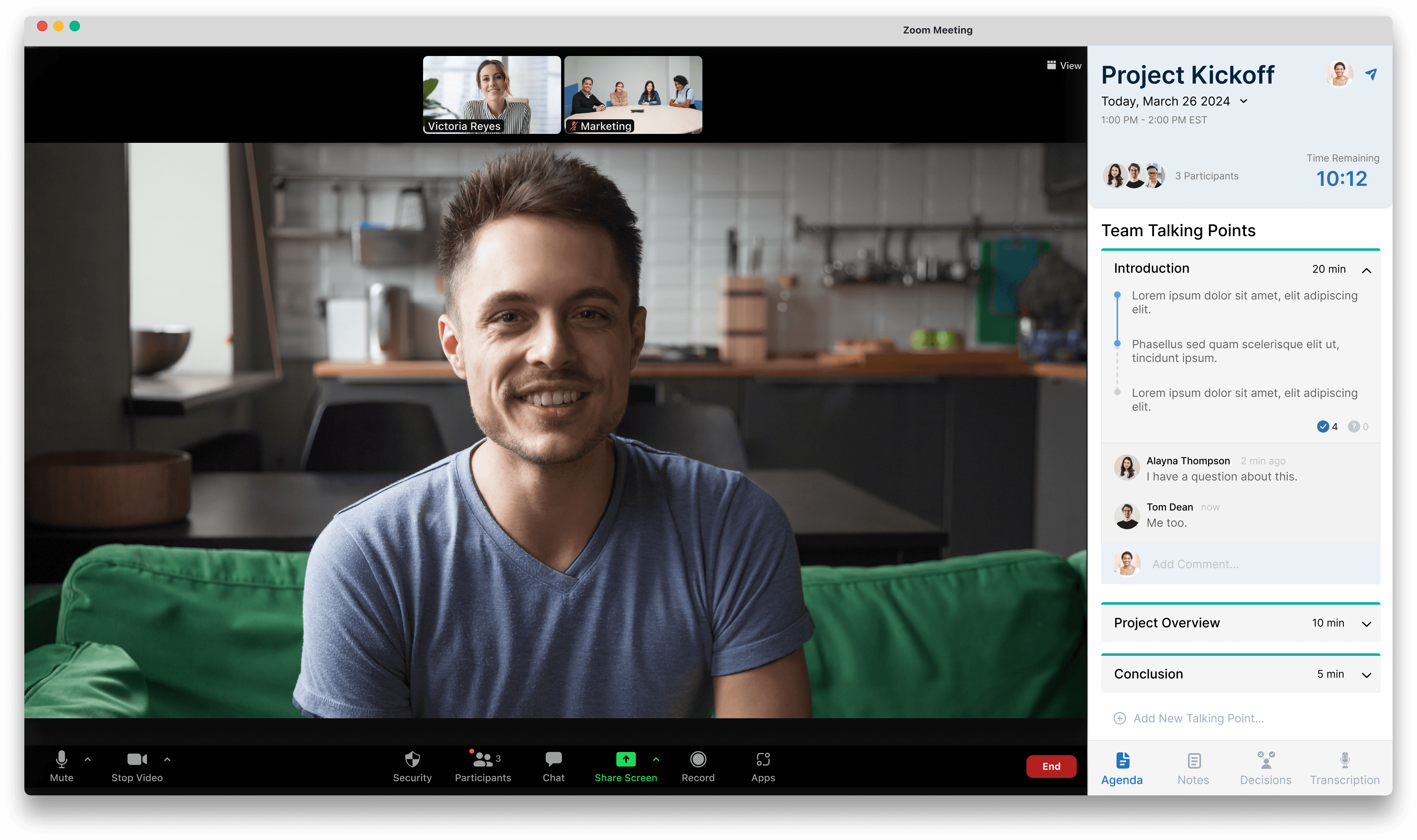
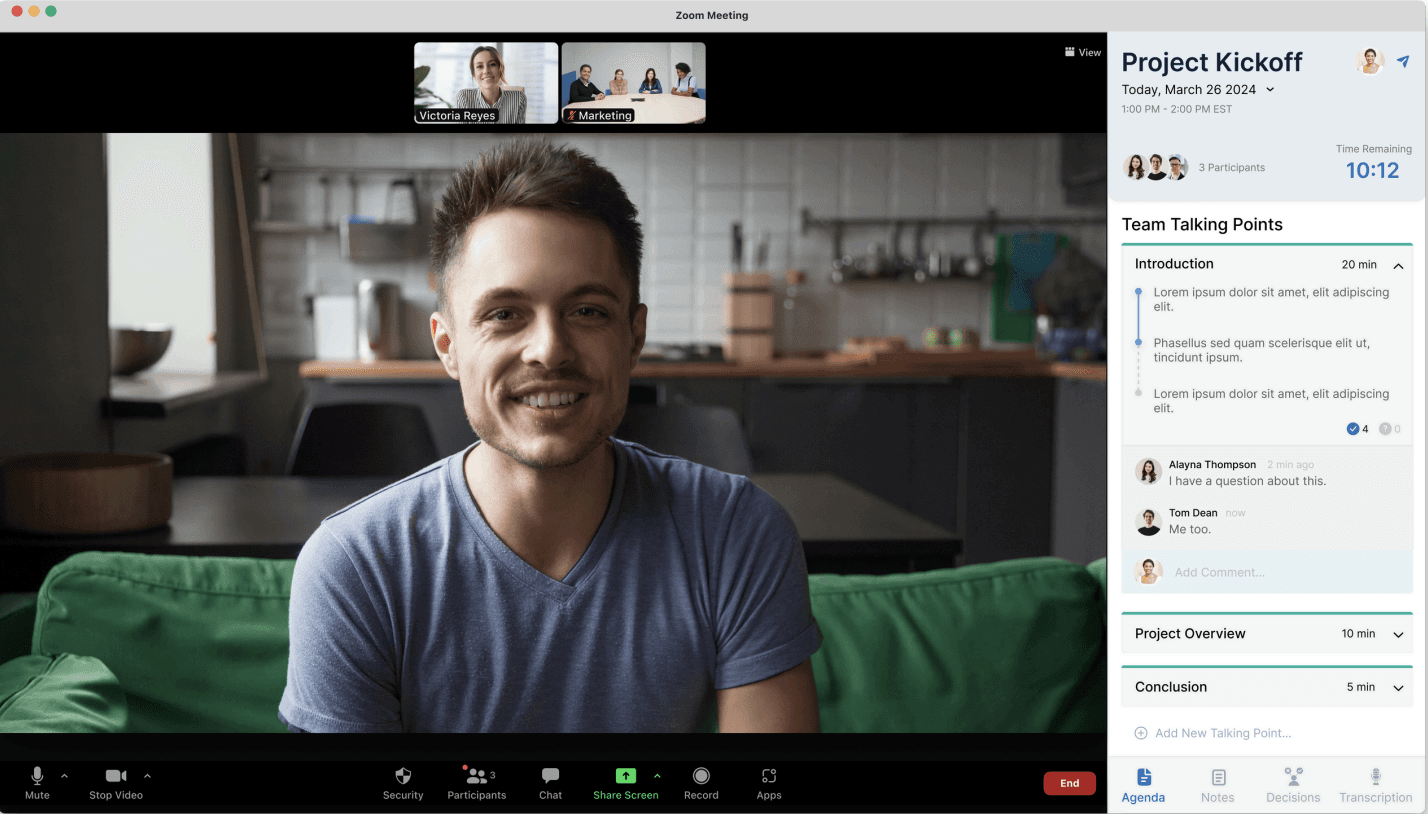
Built a platform that transforms meetings into structured, outcome-driven sessions by combining intelligent scheduling, real-time collaboration, and AI-powered insights
It ensures meetings only happen when necessary while equipping teams with the tools to prepare effectively, stay aligned during discussions, and capture clear outcomes afterward. By integrating agendas, collaborative workspaces, and AI transcription, Convoke helps teams turn conversations into actionable results.
GOAL
Design mid-fidelity prototypes that integrate seamlessly with platforms like Zoom, Microsoft Teams, and Webex, while improving meeting efficiency ensuring that decisions and action items are captured.
The Process

Discovery
DESK RESEARCH
Unnecessary meetings cause major hinderance to productivity and financial loss

Financial Loss
Effective meetings result in substantial financial losses for organizations, with studies showing losses exceeding $54 million annually (Smartway).
Productivity Hinderance
Meetings are recognized as the primary office productivity killer, according to Harvard Business Review (Whillans, et al., 2021).
Organization produces effective meetings
Well-designed agendas are crucial for effective meeting leadership and productivity (Johnson et al., 2021)
COMPARATIVE ANALYSIS
Evaluating Meeting Tools & AI Capabilities
Within our SWOT analysis we analyzed platforms with and without AI integration focusing on meeting organization and setup.
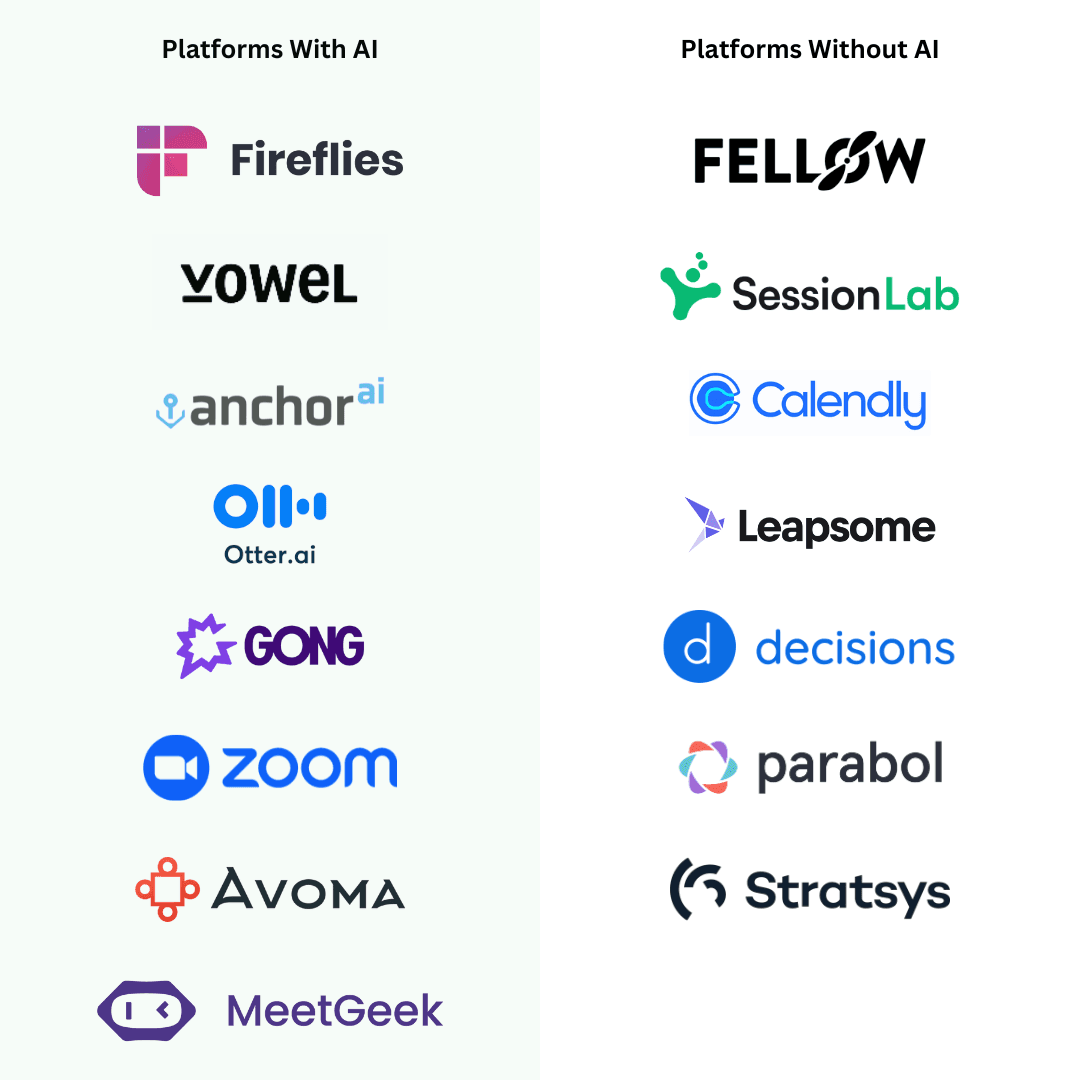
Some opportunities we identified included
Fragmented User Flows
Across multiple platforms, users felt that the overall flow and user experience was lacking features and unintuitive.

Integrations
Most apps allow users to integrate other tools (Slack, Asana, Trello, etc.) to easily transfer data from one platform to the other.
AI Transcription and Summarization
Most apps had an artificial intelligence feature that allowed users to quickly record, transcribe, and summarize meetings while seamlessly integrating into the meeting workflow.
REDDIT DEEP DIVES
Users Attribute Poor Meetings to Lack of Structure and Clarity
Within our deep dives we examined what contributes to a successful or unproductive meeting. After analyzing multiple threads and responses we identified 7 tips to increase meeting productivity.

Only invite those who will actually contribute to the meeting

Provide context and a clear agenda when scheduling a meeting

Identify a desired outcome

Properly and clearly communicate meeting objectives to attendees

Keeping control and maintain focus (i.e. keeping participants on track)

Facilitate rather than dominate conversation (i.e. encouraging attendee input)

Conclude the meeting with clarity (i.e. summarizing the discussion)
USER INTERVIEWS
Misalignment, Irrelevance, and Lack of Preparation Undermine Meetings
To learn first hand from meeting attendees, we interviewed 6 interviews with participants identified as meeting attendees and 7 interviews with participants identified as meeting hosts
Engagement
Participants who had ineffective meetings had no agenda or clear objectives to follow, resulting in a lack of participation. In addition, meeting hosts are concerned that meeting attendees may not understand the information conveyed, or members may understand the material differently.
Relevance
Participants felt they were invited to frequent and unnecessary meetings that hindered their productivity.
Preparedness
A lack of preparedness would affect productivity causing tasks to be delayed.
Research Sythesis
JOURNEY MAP
Breakdowns Occur Before, During, and After Meetings
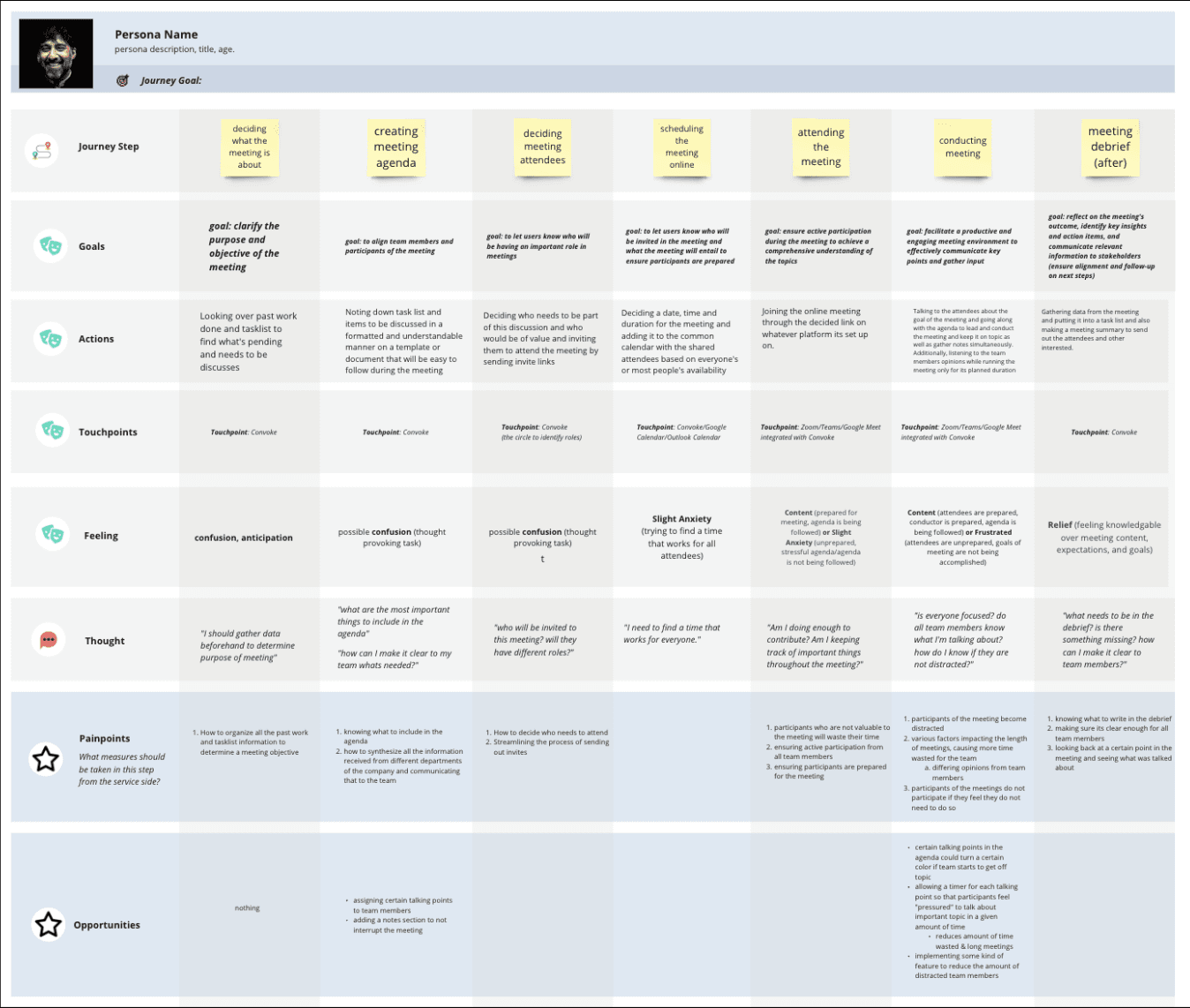
Before meetings → Lack of clarity and preparation
During meetings → Distractions and poor facilitation
After meetings → No clear outcomes or accountability
From our journey map, we came up with three questions to frame our designs
Limit Interruptions: How can we figure out how to limit interruptions, minimize participants talking over one another, and encourage smoothly flowing meetings?
Limit Distractions to Promote Productivity: How are we able to limit meeting participants from getting distracted?
Meeting Content: How can we find a way to make the meeting content easily accessible to be able to analyze and create accurate debriefs after the meeting is over?
Design
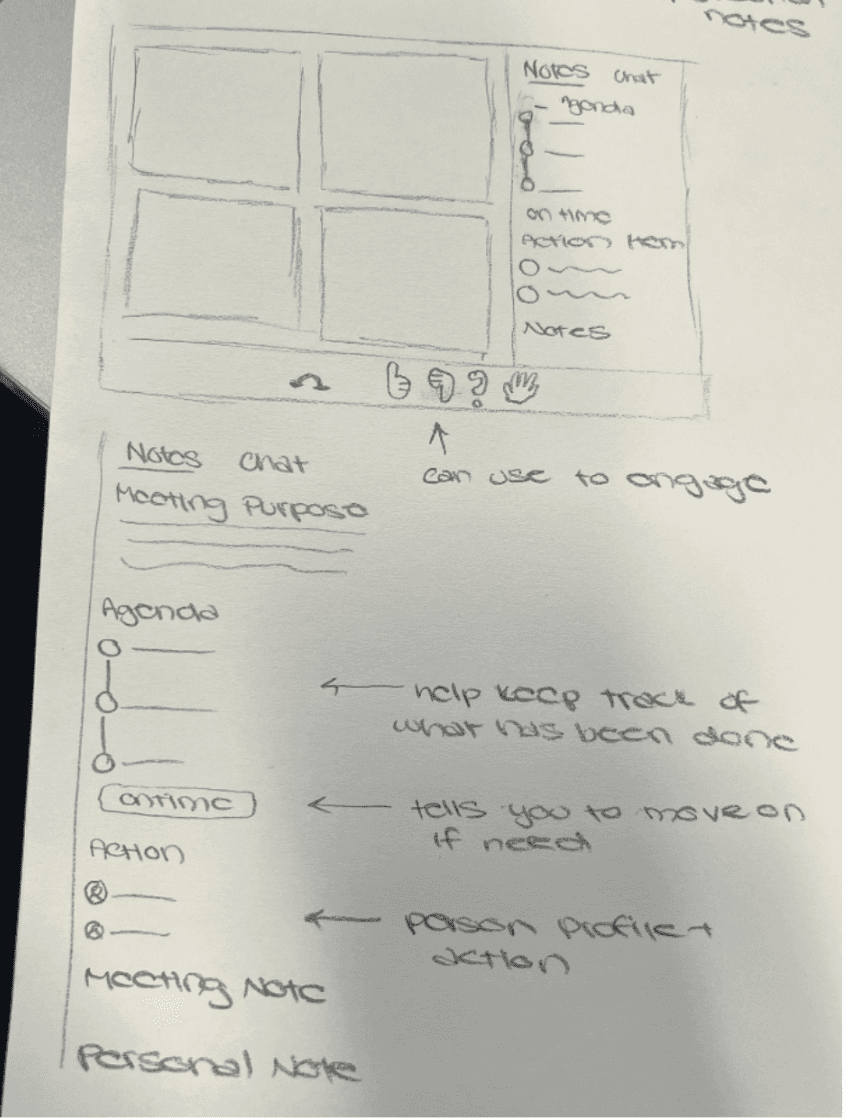
SKETCHING
Exploring Solutions for Productive, Collaborative Meetings
Through rapid ideation, we explored features including:
Shared agendas
Real-time notes
AI transcription
Timers and facilitation tools
We individually sketched solutions, then synthesized concepts into key feature areas.
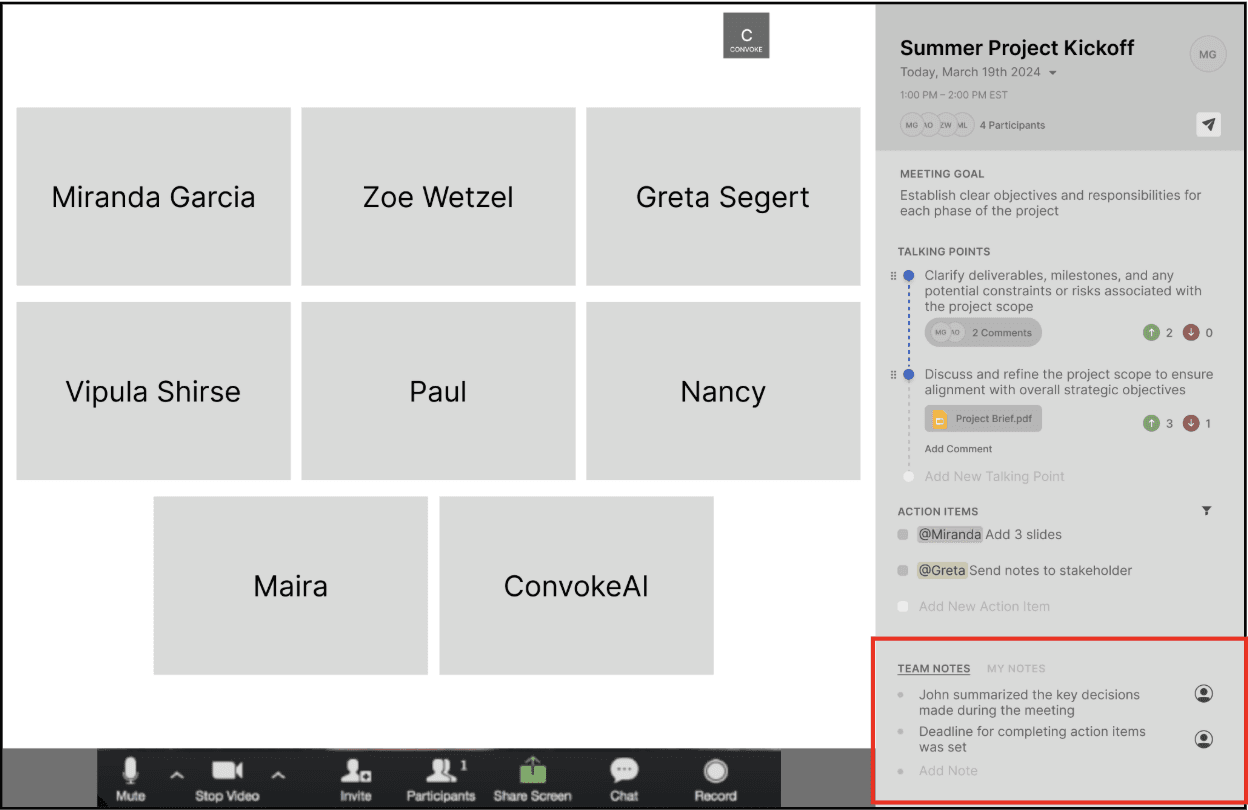
Home Screen
Meetings lacked structure and clear outcomes
How I addressed this:
A centralized interface that organizes the meeting experience by displaying agendas and tasks, while supporting real-time collaboration through comments and polls. It also includes a built-in timer to help manage pacing and highlights action items to ensure clear next steps and accountability.
Collaborative Notetaking
Notes varied in quality and accessibility
How I addressed this:
Allowing multiple participants to edit notes in real time creates a shared understanding of the discussion while ensuring that information is centralized and accessible both during and after meetings.

AI Integration
Information is often lost or required repeated clarification causing interruptions.
How I addressed this:
Automated transcription allows users to easily revisit conversations, while keyword search improves information retrieval and supports efficient follow-up. An integrated chatbot enables users to interact with the transcript conversationally surfacing summaries, clarifications, and next steps based on their queries.
MID FIDELITY PROTOTYPING
Translating Concepts into Mid-Fidelity Interface Designs
From our sketches, we expanded these ideas into interface designs for the home screen, notes screen, and AI-powered transcript features.
Test and Iterate
Concept Testing
User Feedback on Early Concepts and Feature Validation
Information Overload
Instead of having all features on one screen, participants expressed that we should create a nav bar to separate features.
Transcription Screen
Participants expressed interest in a feature where an attendee can highlight the transcription and manually send it to the action items list or notes.
Agenda Screen
Participants also expressed interest in integrating the talking points into the agenda points as well as having the ability to assign action items in the comments.
Sponsor Feedback
Adding a Decision Tracker
Based on feedback we received from our sponsor, the team decided to create a new feature that would track important decisions made during virtual meetings, promote accountability, transparency, and follow-through among meeting participants.
Refining Structure and Clarity
Decision Tracker
Participants were confused with the practicality of this feature as they said it wasn’t always usable.
Icon Confusion
Participants were confused about the exporting icon as it was not clear as to what the action was once clicked.
Information Overload
Specifically in the agenda screen, participants stated that the time allocated for each talking point takes too much room on the screen and could be visualized differently to use the space more effectively.
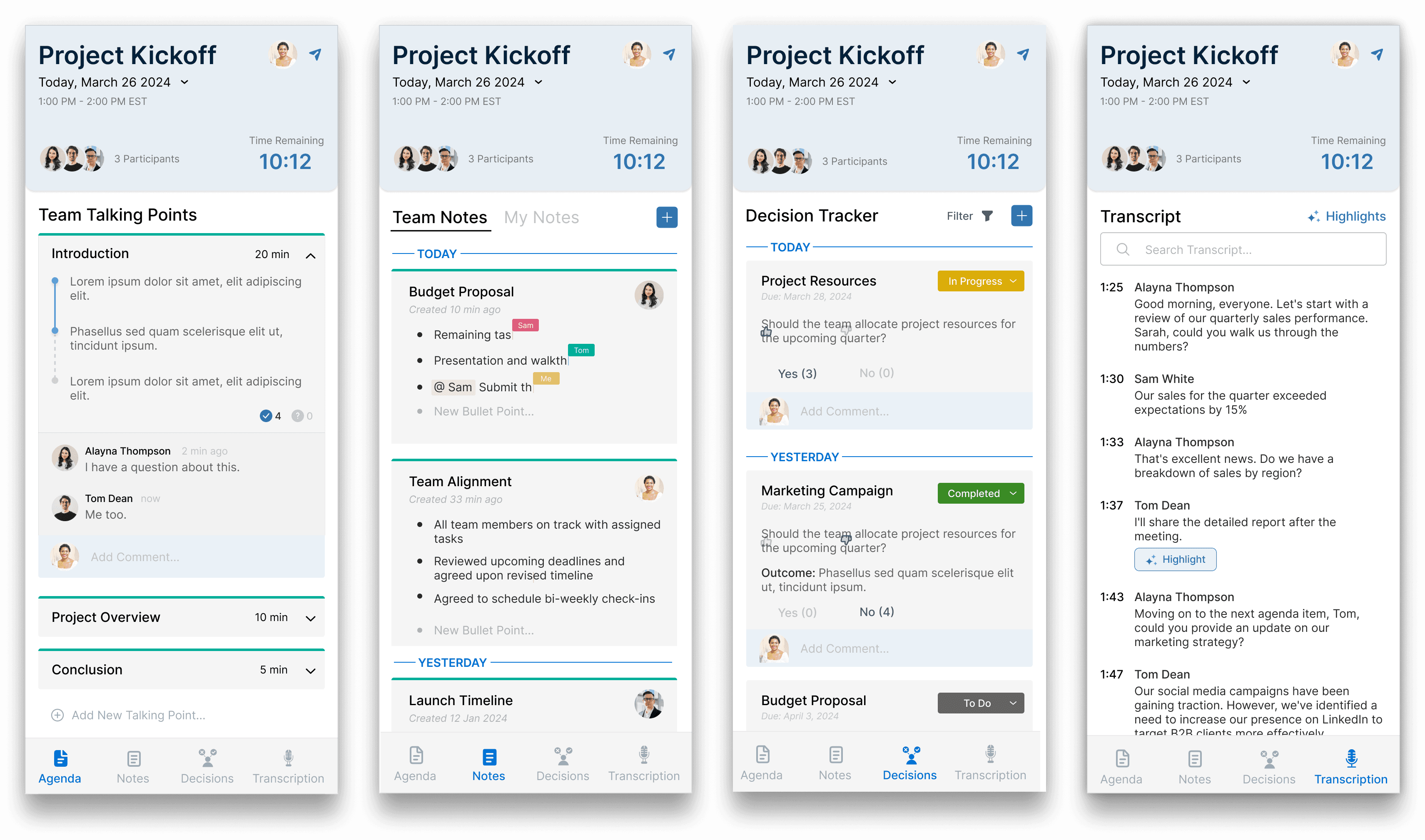
Refined Mid-Fidelity Prototype Based on User Testing Insights
Through the previous feedback, we refined our solution. Below you can see the interfaces for the agenda, notes decision, and transcript pages.